
Hover Touch
2025/10/29
1 What Is Hover Touch?
Hover Touch (also called hover sensing or non contact touch) is a technology that can detect the position, distance, or movement of a finger or stylus before it actually contacts the display. Unlike conventional capacitive or resistive touch, Hover Touch senses a “hover” state above the screen by using electric field, infrared/optical, or ultrasonic sensing, enabling features such as preview, shortcut gestures, and hover based UI interactions. It is employed in some flagship smartphones, tablets, and automotive infotainment systems.
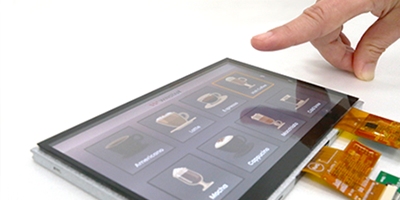
Core Principle
l Capacitive near field sensing: Extra sensing electrodes create a weak electric field on the screen surface; when a finger enters this field (within a few millimetres), the capacitance change is detected and converted into coordinates.
l Infrared/optical projection: Infrared beams emitted around or inside the screen are blocked by a hovering finger; the resulting gap is captured by a camera to calculate the hover position.
l Ultrasonic ranging: An ultrasonic transmitter?receiver array measures the distance between the finger and the screen, providing 3?D hover perception.
2 Main Implementation Techniques
|
Technique |
Typical Implementation |
Advantages |
Limitations |
|
Capacitive near field |
Samsung Air View, Huawei Hover Touch |
Fast response, low power, can coexist with ordinary capacitive touch |
Detection distance limited to ≈2-5mm; sensitivity drops with metal gloves |
|
Infrared/optical projection |
Early Windows Surface Pro, some automotive infotainment systems |
Larger detection range (≈10mm), material agnostic |
Affected by ambient light and screen dirt; requires extra optics, slightly higher cost |
|
Ultrasonic array |
Research prototypes, some industrial panels |
3D detection (depth information), friendly to transparent materials |
Sensitive to acoustic noise, higher power consumption, complex algorithms |
|
Hybrid (capacitive + optical) |
Certain high end concept phones |
Combines distance and precision, improves robustness |
Complex design, highest cost |
3 Application Scenarios
|
Scenario |
Specific Example |
Value Added by Hover Touch |
|
Smartphones |
Samsung Galaxy Note series Air View, Huawei Mate series Hover Touch |
Light touch previews photos, emails, maps without opening them; improves efficiency |
|
Automotive systems |
In car central console hover gesture control |
Drivers can switch volume or navigation without touching the screen, reducing distraction |
|
Industrial panels |
Production line monitoring screens, machine tuning terminals |
Operators can preview information while wearing gloves, enhancing safety |
|
AR/VR interaction |
External hand gesture sensing for head mounted displays |
Enables “air pointing” in virtual space, boosting immersion |
|
Public kiosks |
Airport or mall interactive guides |
Hover shows summary info, reduces accidental taps, improves user experience |
4 Advantages and Challenges
Advantages
1.Non contact operation – reduces fingerprints and bacterial spread; suitable for medical and public venues.
2.Preview/shortcut capability – users can see content before committing to a tap, speeding up workflows.
3.Gesture extension – supports multi finger hover, air swipe, and other advanced interactions.
Challenges
1.Limited detection distance – most solutions sense only a few millimetres to a few centimetres.
2.Environmental interference – strong light, rain, or metal gloves can affect infrared/optical methods.
3.Power and cost – extra sensors and processing increase hardware cost and energy consumption.
4.Accidental activation – in crowded settings, an unintended hover may trigger actions; software filtering is required.
5 Future Trends
l AI driven gesture recognition – combine machine learning models with hover trajectories to predict user intent more accurately.
l Longer range sensing – improved ultrasonic or millimetre wave radar to achieve hover detection beyond 10cm.
l Multi modal fusion – hybrid capacitive+infrared+ultrasonic solutions will become standard in high end devices, balancing precision, robustness, and power.
l Hardware software co optimization – system level power management and UI design (e.g., “hover preview layer”) will further enhance user experience.